Hotelizer PMS October 2026: Are you ready for the next season?
Your essential to-do list for this time of year!


2027 Season opening: Prepare early with hotelizer!
Managing your availability starts here!
The new tourist season is approaching, and early preparation is key to ensuring the smooth operation of your property.
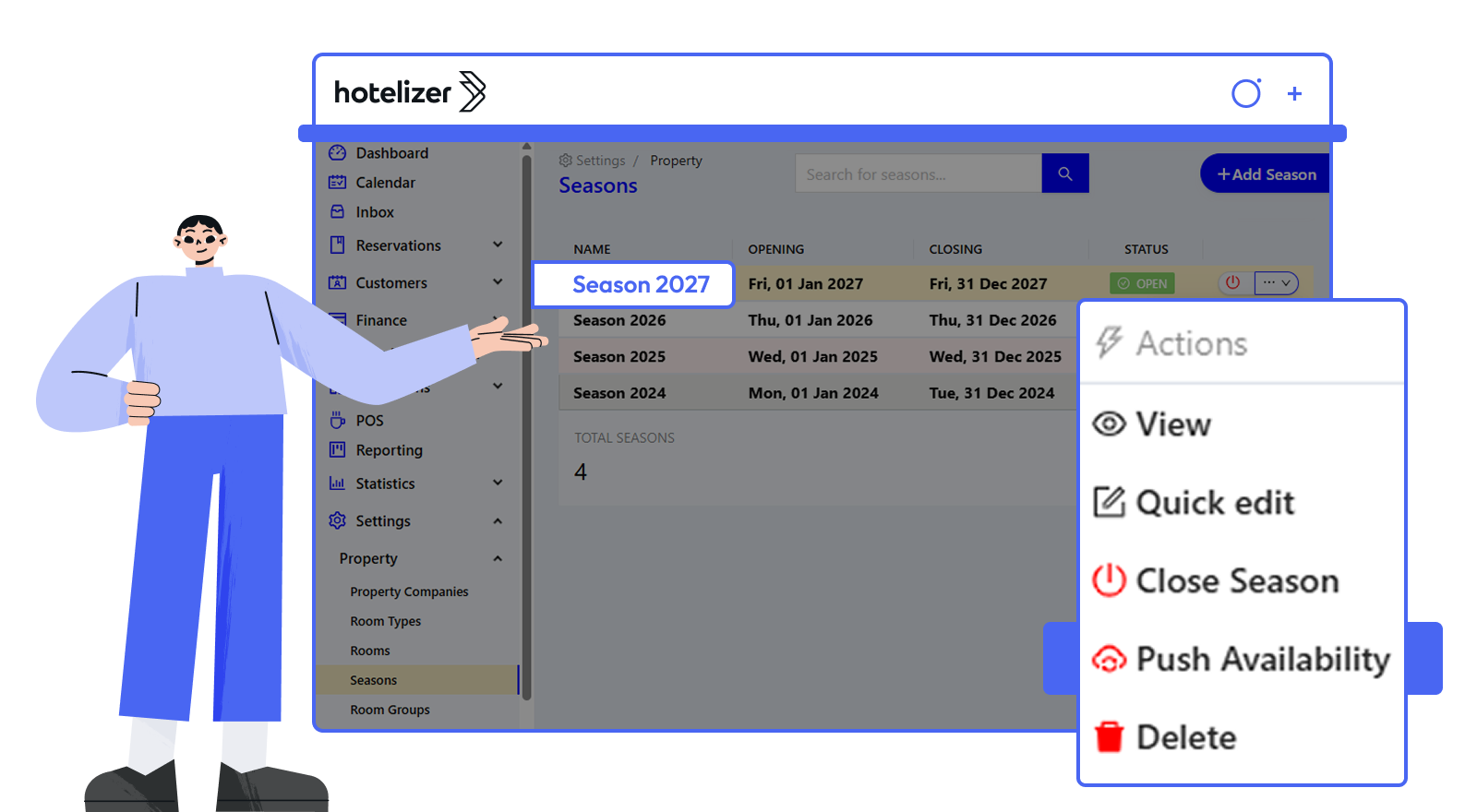
Creating the 2027 operating season in hotelizer PMS is essential for properly managing and updating your availability, as well as setting up your rate plans.
Without creating the corresponding operating season, you may encounter issues when updating your availability and preparing your sales for the upcoming year.
Why should you do it now?
Creating your operating season in advance helps you:
- Prepare for the new season ahead of time, avoiding delays in organizing your sales.
- Ensure your availability is correctly updated across your connected channels, such as Booking.com, Expedia, and your website.
- Proceed with setting up your rate plans for 2027.
- Avoid gaps in your planning and be ready to accept bookings from travellers who plan their holidays several months in advance.
How to Create Your Operating Season
The process is simple and can be completed directly through hotelizer PMS:
- Go to Settings → Properties → Seasons.
- Click + Add Season.
- Enter a name for the season, e.g. Season 2027.
- Fill in the start and end dates in the Opening Date and Closing Date fields.
- Click Create Season to save the season.
- Click the three dots next to the newly created season and select Push Availability to push your availability to your connected channels.
Important note:
Each operating season must cover a continuous date range and relate to a single calendar year. If you wish to temporarily stop availability on specific dates, you should apply the relevant Stop Sales restrictions through the Booking Plan.
Additionally, to avoid unwanted bookings outside your property's operating period, it is essential to apply Stop Sales restrictions to the corresponding dates.
Need Help?
Watch the video below for step-by-step instructions on how to create your operating season.
Watch the tutorial Click2Learn video here.
Don't leave it until later!
Log in to hotelizer PMS today and create your 2027 operating season. This will ensure that you are ready to organize the new season and prepare your sales well in advance.
If you have any questions or need assistance, the hotelizer support team is always here to help!

Your questions, answered in
short & easy tutorials!
Watch step-by-step video guides for everything, from the simplest tasks to more complex procedures, explained clearly and concisely.
✔ Click on each image to watch the step-by-step video.
✔ Add English subtitles to the videos.
Enter
a payment
Issue a
credit note

Associate
Payments
Group Booking
Invoicing
Transfer charges
to a reservation
Billing
off-booking
Manage
availability
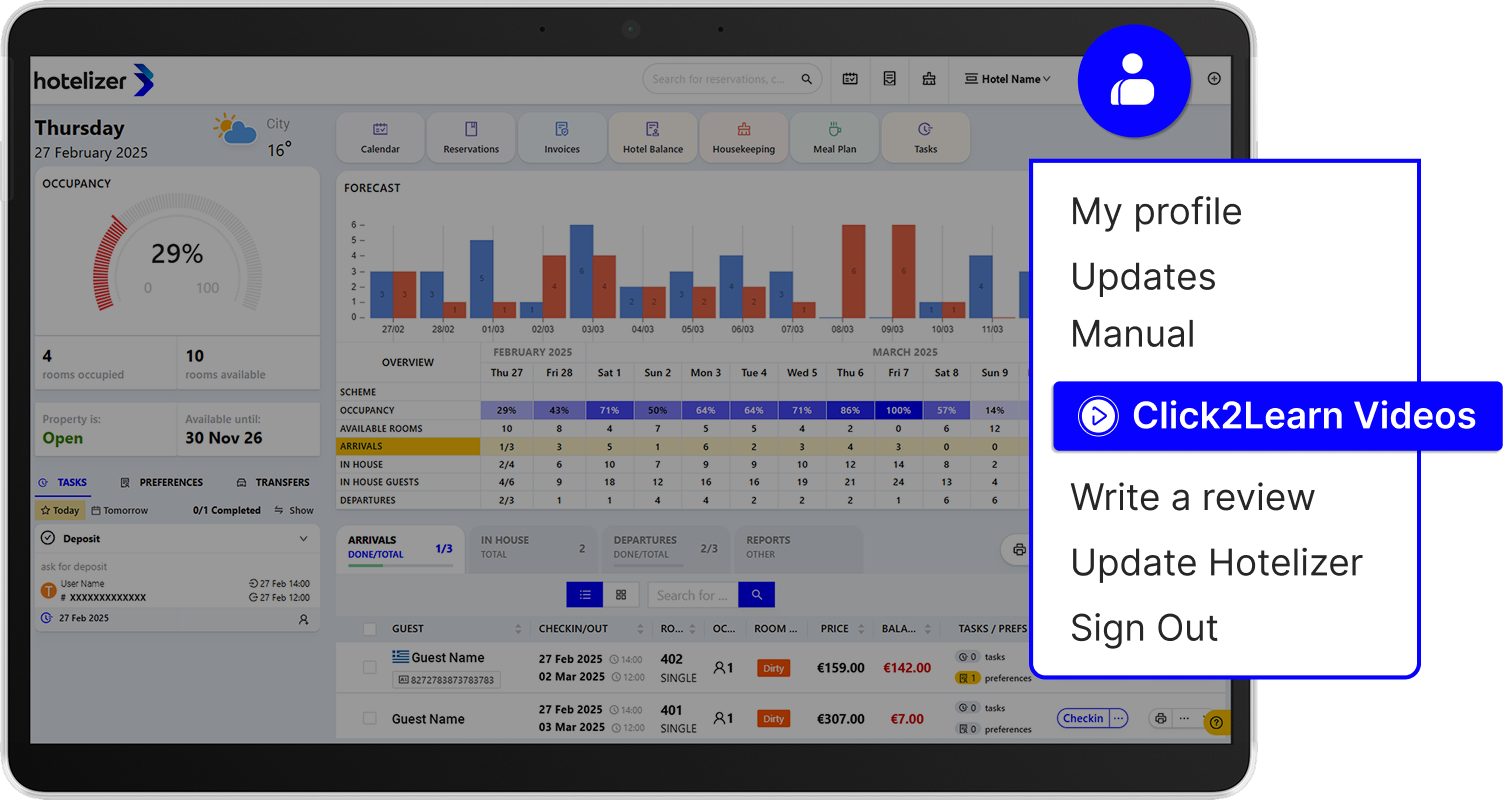
Find all Click2Learn Videos directly on the hotelizer platform. Just click the icon in the top-right corner and select Click2Learn Videos.